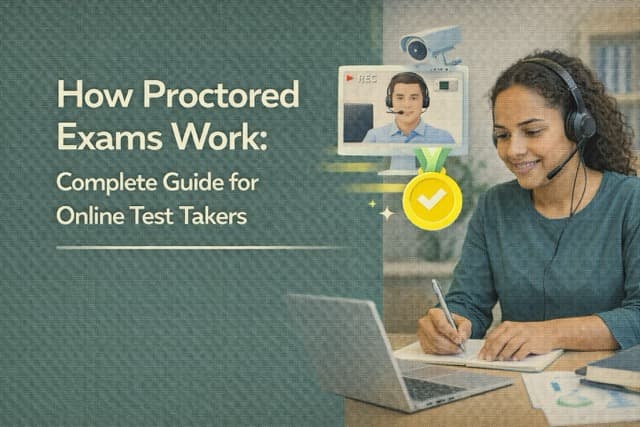
If you've ever wondered how proctored exams work, you're definitely not alone. The shift to online testing has left a lot of students scratching their heads - what exactly is watching you, how strict is it really, and what happens if your cat decides to jump on your desk mid-exam?
Whether you're getting ready for a college final, a professional certification like the CompTIA Security+, or a graduate school entrance exam, understanding how online proctored tests function can make the difference between a smooth experience and a stressful disaster. And honestly? Most of the anxiety people feel about proctored exams comes from not knowing what to expect.
This guide walks you through everything - the different types of proctoring, what the software actually monitors, the technical requirements, and practical tips so you can focus on your exam instead of worrying about the technology. Let's break it all down.
What Is a Proctored Exam, Exactly?
A proctored exam is any test that's supervised to make sure nobody's cheating. Simple as that. In the old days, this meant a person sitting at the front of a room watching you fill in bubbles on a Scantron sheet. These days, proctoring has gone digital - and it's gotten significantly more sophisticated.
With online proctored tests, supervision happens through a combination of your webcam, microphone, screen sharing, and sometimes AI algorithms that analyze your behavior in real time. The proctor might be a live person watching your video feed, or it could be software that flags suspicious activity for a human to review later. Sometimes it's both.
The concept isn't complicated, but the execution varies wildly depending on which proctoring platform your school or testing organization uses. Some are pretty relaxed - just a basic ID check and screen recording. Others are, well, kind of intense. We'll get into the specifics in a minute.
If you're preparing for a proctored exam from home, the good news is that millions of students do this successfully every semester. Once you understand the rules and set up your environment correctly, the technology fades into the background and you can actually concentrate on the test itself.
Types of Proctored Exams: Live, Recorded, and AI-Based
Not all proctored exams are created equal. The type of proctoring you'll encounter depends on your institution, the exam platform, and honestly - how much money they're willing to spend on monitoring. Here are the three main flavors:
Live Proctoring
This is the closest thing to having an actual human watching you in person. A live proctored exam means a real person monitors your webcam feed, screen, and audio in real time throughout your entire test. They can pause your exam if something looks off, ask you to show your workspace via webcam, or even talk to you through a chat window.
Platforms like ProctorU, Examity, and Proctorio offer live proctoring options. WGU (Western Governors University), for example, uses live proctoring for most of its certification exams. Same with many ATI proctored exams for nursing students. If you're wondering how WGU proctored exams work or how ATI proctored exams work - live monitoring is usually the answer.
Recorded Proctoring
With recorded proctoring, nobody watches you during the exam itself. Instead, the software records your webcam, screen activity, and audio the entire time. After you finish, the recording gets reviewed - either by a human proctor or by AI that scans for suspicious moments.
This is arguably the most common type for university exams. Canvas, Blackboard, and McGraw Hill Connect all support recorded proctoring through various integrations. Students often ask how proctored exams work on Canvas or how McGraw Hill proctored exams work - and recorded sessions are typically the setup. The recording approach gives students more scheduling flexibility since there's no need to coordinate with a live proctor.
AI-Based Proctoring
This is where things get interesting. AI proctoring uses machine learning algorithms to monitor your behavior and flag anomalies automatically. The software might track your eye movements, analyze ambient sound for voices, detect if someone else enters the room, or notice if you're looking away from the screen too frequently.
Some platforms, like Honorlock and Proctorio, rely heavily on AI to do the initial screening. The technology isn't perfect (we'll talk about false flags later), but it's gotten remarkably good at distinguishing between, say, someone reading a question carefully and someone looking at notes taped to their wall. How do AI proctored exams work in practice? Think of it as a first-pass filter - the AI catches the obvious stuff, and a human reviews anything that looks questionable.
Quick tip: Don't let the type of proctoring stress you out. Whether it's live, recorded, or AI-based, the preparation is basically the same - set up your space, check your tech, and focus on the content. The monitoring is just there to keep things fair for everyone.
How Online Proctoring Actually Works (Step by Step)
So what actually happens when you sit down for a remote proctored exam? Here's the typical process, start to finish. Keep in mind that specific steps might vary depending on your platform, but this covers the general flow for most online proctored tests.
Step 1: Download and Install the Proctoring Software
Most proctoring platforms require you to install a browser extension or standalone application before your exam. Proctorio works as a Chrome extension. ProctorU uses a separate app called Guardian. Respondus LockDown Browser is its own dedicated browser that prevents you from accessing other programs during the test.
Do this at least 24 hours before your exam. Seriously. The last thing you want is to discover a compatibility issue five minutes before start time. Run the system check that most platforms offer - it'll verify your webcam, mic, internet speed, and browser version.
Step 2: Identity Verification
Before the exam begins, you'll need to prove you're... well, you. This usually involves holding your government-issued photo ID up to the webcam. Some platforms also take a photo of your face and compare it to your ID using facial recognition software. Penn Foster proctored exams, BYU proctored exams, and most university platforms all follow this step.
Step 3: Environment Check
Here's where you'll be asked to do the famous "room scan." Using your webcam (or phone camera, depending on the platform), you slowly pan around your testing space so the proctor can verify there are no unauthorized materials visible. This includes your desk surface, the area behind your monitors, and sometimes even under your desk.
Some platforms require you to show that your phone is out of reach. Others ask you to close all doors in the room. The specifics depend on the proctored exam rules set by your institution, but the goal is always the same: confirm you don't have access to anything that could give you an unfair advantage.
Step 4: The Exam Itself
Once you pass the check-in process, you're into the test. During the exam, the proctoring software runs quietly in the background (or a proctor watches your feed). Your screen is being shared or recorded, your webcam is on, and your microphone is picking up ambient sound.
For most students, this is where the proctoring kind of disappears. You get absorbed in the questions and forget the webcam is even there. That's actually the ideal experience - the proctoring should be unobtrusive enough that it doesn't affect your performance. If you're well-prepared for your proctored exam, the monitoring is honestly the least of your concerns.
Step 5: Submission and Review
After you submit your exam, the recording and data go through review. For AI-proctored exams, the software generates a report flagging any suspicious moments with timestamps. A human reviewer then watches those flagged segments to determine whether an actual violation occurred. For live-proctored exams, the proctor may have already noted any concerns during the test itself.
Your instructor or testing organization receives this report along with your exam results. If nothing was flagged, you're golden. If something was flagged, your institution will usually follow up with you before making any decisions.
What Gets Flagged During a Proctored Exam
This is the question everyone really wants answered: how are proctored exams monitored, and what specifically triggers a flag? Let's be direct about it.
Eye Movement and Gaze Tracking
Some proctoring software tracks where your eyes are looking. If you're consistently looking away from the screen - especially in a pattern that suggests you're reading something off to the side - that can trigger a flag. But here's the thing: looking away briefly is completely normal. Everyone glances around while thinking. The software is trained to distinguish between natural eye movement and sustained off-screen gazing.
Audio Detection
Your microphone picks up ambient sound throughout the exam. The software flags things like other voices in the room, whispering, or someone apparently reading questions aloud. Background noise from traffic or construction generally isn't an issue - the AI is specifically looking for speech patterns.
Can proctored exams detect phones? Sort of. They can't see your phone directly, but they can detect notification sounds, vibrations, and the subtle audio cues of someone receiving a call or text. If you're using a phone to look up answers and whispering to yourself while reading, yes, that's going to get flagged.
Screen Activity
If you're using a lockdown browser, you literally can't access other programs or tabs. But even without a lockdown browser, the proctoring software monitors which applications and windows are active. Opening a new browser tab, switching to another application, or using a virtual machine are all detectable and will generate flags.
Can a proctored exam see your screen? Absolutely yes. Screen sharing or screen recording is a fundamental part of virtually every proctoring platform. Your entire screen is captured throughout the exam.
Additional People
The webcam is looking for faces, and if it detects more than one, that's an immediate flag. Someone walking behind you briefly probably won't be an issue (though it might generate a low-priority alert), but another person sitting next to you or appearing to help you will definitely be reported.
Unusual Behavior Patterns
This is where AI proctoring gets subtle. The software can detect patterns like leaving the camera frame entirely, covering the webcam, using keyboard shortcuts that suggest copy-pasting (even within the exam), or significant changes in typing patterns. Some advanced systems even analyze how quickly you answer questions - answering a complex question in three seconds might look suspicious if you spent two minutes on every similar question before that.
The Bottom Line on Flagging
False flags happen. They're more common than you'd think.
A dog barking, a car horn, or glancing at your scratch paper can all trigger alerts. That's why human review exists - automated flags aren't automatic violations. If you're testing honestly, minor flags won't affect your results. The system is designed to catch patterns of behavior, not isolated moments.
Proctored Exam Requirements: What You Need Before Test Day
Getting the technical setup right is half the battle. Here's what you actually need for a smooth proctored exam from home:
Hardware Requirements
You'll need a computer (desktop or laptop) with a working webcam and microphone. Most platforms don't support tablets or phones as your primary testing device, though some may require your phone as a secondary camera. Your webcam needs to be positioned so your face, hands, and workspace are visible.
Can you take a proctored exam without a webcam? In virtually all cases, no. The webcam is non-negotiable for online proctoring. If your built-in camera isn't working, an external USB webcam will do the job - just make sure it's tested and working before exam day.
Internet Connection
This is where a lot of students run into trouble. You need a stable internet connection - most platforms recommend at least 1.5 Mbps upload and download speeds, though faster is always better. Wi-Fi works fine for most people, but if your connection tends to drop, plugging in via ethernet cable is the safer bet.
If your internet disconnects during the exam, most proctoring platforms have a reconnection protocol. You won't automatically fail, but you will need to go through the check-in process again, and the interruption will be noted in your proctoring report.
Testing Environment
Find a quiet, private room where you won't be interrupted. Clear your desk of everything except your computer, approved scratch paper (if allowed), and a glass of water. Remove any whiteboards, sticky notes, or papers from the walls within webcam range. If you have multiple monitors, you'll typically need to disconnect the extra ones or turn them off.
Software and Browser
Install the required proctoring software or browser extension well in advance. Close all unnecessary applications and browser tabs before starting. Disable pop-up notifications from email, messaging apps, and your operating system. That Slack notification popping up during your exam isn't a violation, but it's a distraction you don't need.
Tips for Taking a Proctored Exam at Home
Knowing how to take a proctored exam successfully is part preparation, part environment management. Here are practical proctored exam tips from students who've been through it:
Before the Exam
- Run the system check 48 hours before - not the night before, not the morning of. Give yourself time to fix any issues that come up.
- Do a practice session if your platform offers one. Many proctoring services have a practice exam mode that lets you experience the check-in process without the stress.
- Tell everyone in your house when you're testing. Put a sign on your door. The fewer interruptions, the better.
- Charge your laptop fully and keep it plugged in. Running out of battery mid-exam is a nightmare scenario.
- Have your ID ready at your desk before you start the check-in process.
During the Exam
- Don't talk to yourself - even mumbling while reading questions can trigger audio flags. If you're someone who reads aloud when thinking, practice doing it silently.
- Stay in the webcam frame at all times. If you need to stretch or reach for water, do it slowly and stay partially visible.
- Use the bathroom before starting. Most proctored exams don't allow bathroom breaks, and leaving your camera's view will definitely get flagged.
- Keep your eyes on the screen. It's natural to look around while thinking, but try to keep extended gazing to a minimum.
- Don't panic if something goes wrong technically. Contact your proctor through the chat function or call the support line. Technical issues are common and proctoring companies have protocols for handling them.
The Real Secret: Actual Preparation
Here's what no one talks about enough - the best way to handle proctored exam anxiety is being genuinely prepared for the content. When you know the material cold, you're not worried about the webcam or the software. You're just... taking a test.
That's where targeted exam preparation makes a real difference. Whether you're prepping for the GRE, the TEAS, or any proctored exam, walking in confident about your knowledge base means the proctoring technology becomes background noise rather than a source of stress.
Feeling anxious about your upcoming proctored exam? The best antidote is preparation.
Get Expert Proctored Exam Prep Now →Frequently Asked Questions About Proctored Exams
How do proctored exams work online?
Online proctored exams use a combination of your webcam, microphone, and screen sharing to monitor you during a test. Before the exam, you install proctoring software, verify your identity with a photo ID, and show your testing environment via webcam. During the test, the software records or livestreams your session while monitoring for unusual behavior. After the exam, the recording is reviewed by AI algorithms and sometimes human proctors to identify any potential violations.
Can proctored exams detect phones?
Proctored exams can't directly "see" your phone through the webcam in most cases, but they can detect phone usage indirectly. The software picks up notification sounds, the subtle glow of a phone screen reflected on your face, and audio patterns that suggest you're receiving or reading information from a secondary device. Most platforms also require your phone to be placed out of reach during the environment check, and some use your phone as a secondary camera angle.
Can a proctored exam see your screen?
Yes. Screen sharing or screen recording is a core feature of every major proctoring platform. The proctor or proctoring software can see everything on your screen - every tab, every application, every window. Lockdown browsers go further by preventing you from accessing anything outside the exam interface entirely. This is why closing all unnecessary applications and tabs before starting is so important.
Do proctored exams record audio?
Yes, most proctored exams record audio through your computer's microphone throughout the entire test. The recording is analyzed for voices (both yours and others), whispering, and suspicious sound patterns. Normal background noise like traffic or an air conditioner won't cause issues, but human speech in the room will almost certainly trigger a flag for review.
What happens if my internet disconnects during a proctored exam?
Don't panic - this happens more often than you'd think, and proctoring platforms have standard procedures for it. Most exams will pause automatically, and once your connection is restored, you'll need to go through a brief re-verification process (usually just showing your ID again). The time you were disconnected is typically noted in the proctoring report, but it's not treated as a violation. To minimize risk, use a wired ethernet connection when possible and have your institution's IT support number handy.
How do proctored exams work on platforms like Canvas and Blackboard?
Canvas and Blackboard themselves are learning management systems, not proctoring tools. They integrate with third-party proctoring services like Respondus LockDown Browser, Proctorio, or Honorlock to add monitoring capabilities. When your instructor enables proctoring for an exam, you'll be prompted to launch the proctoring software before the exam begins. The exam questions are delivered through Canvas or Blackboard, but the monitoring happens through the integrated proctoring platform.
How should I prepare for a proctored exam?
Preparation has two parts: technical and academic. Technically, run your system check early, set up a clean and quiet workspace, test your internet, and install all required software. Academically, the best approach depends on your exam type. For certification exams, focused tutoring that targets your specific weak areas beats weeks of unfocused studying. Our proctored exam prep service uses AI diagnostics to identify exactly what you need to work on, so you walk in confident about both the content and the testing process.
Feel Confident Walking Into Your Next Proctored Exam
Understanding how proctored exams work removes most of the mystery and anxiety around online testing. At the end of the day, the technology exists to keep things fair - not to trip you up or catch you on technicalities. As long as you set up your space properly, check your tech in advance, and actually know the material, the proctoring is just background machinery.
Quick recap of what matters most: download and test your software early, set up a clean and quiet room, close everything on your computer except the exam, keep your ID handy, and stay in the webcam frame. That covers about 90% of what you need to worry about on the proctoring side.
The other 10%? That's the actual exam content. And that's the part you can actually control through solid preparation. Whether you're taking a nursing entrance exam like the HESI, an EMT certification like the NREMT, or a project management credential like the PMP, knowing your stuff is the single best thing you can do for both your score and your stress level.
Don't let the proctoring software be the thing that holds you back. Focus your energy where it actually matters - mastering the content and walking into that exam ready to crush it.
Ready for Your Proctored Exam?
Expert tutoring + AI diagnostics = confidence on test day. We prep you for the content so you can stop worrying about the webcam.
Get Your Proctored Exam Prep Started →Related Exam Prep Resources
Preparing for a specific proctored exam? Check out our targeted prep services:
- Fast proctored exam pass tutoring - guaranteed proctored exam preparation
- Fast online exam pass tutoring - expert help for any online test
- Fast GRE high score tutoring - graduate school exam mastery
- Fast TEAS pass tutoring - nursing entrance exam prep
- Fast CompTIA Security+ pass tutoring - IT certification guaranteed
All our exam prep services use AI-driven diagnostics paired with expert tutoring. We identify your specific weak areas and fix them through focused coaching - so you walk into your proctored exam confident, prepared, and ready.